


How the three layers work together
Take a common setup: you run 20 TikTok accounts across the United States, Indonesia, Malaysia and Thailand.
- The environment layer connects each of the 20 accounts through a network exit in its own country, with a local-language interface and logins that never interfere with each other. You import network exits once on the Environments page, the app builds the environments in order, and sign-in is allowed only after every check passes.
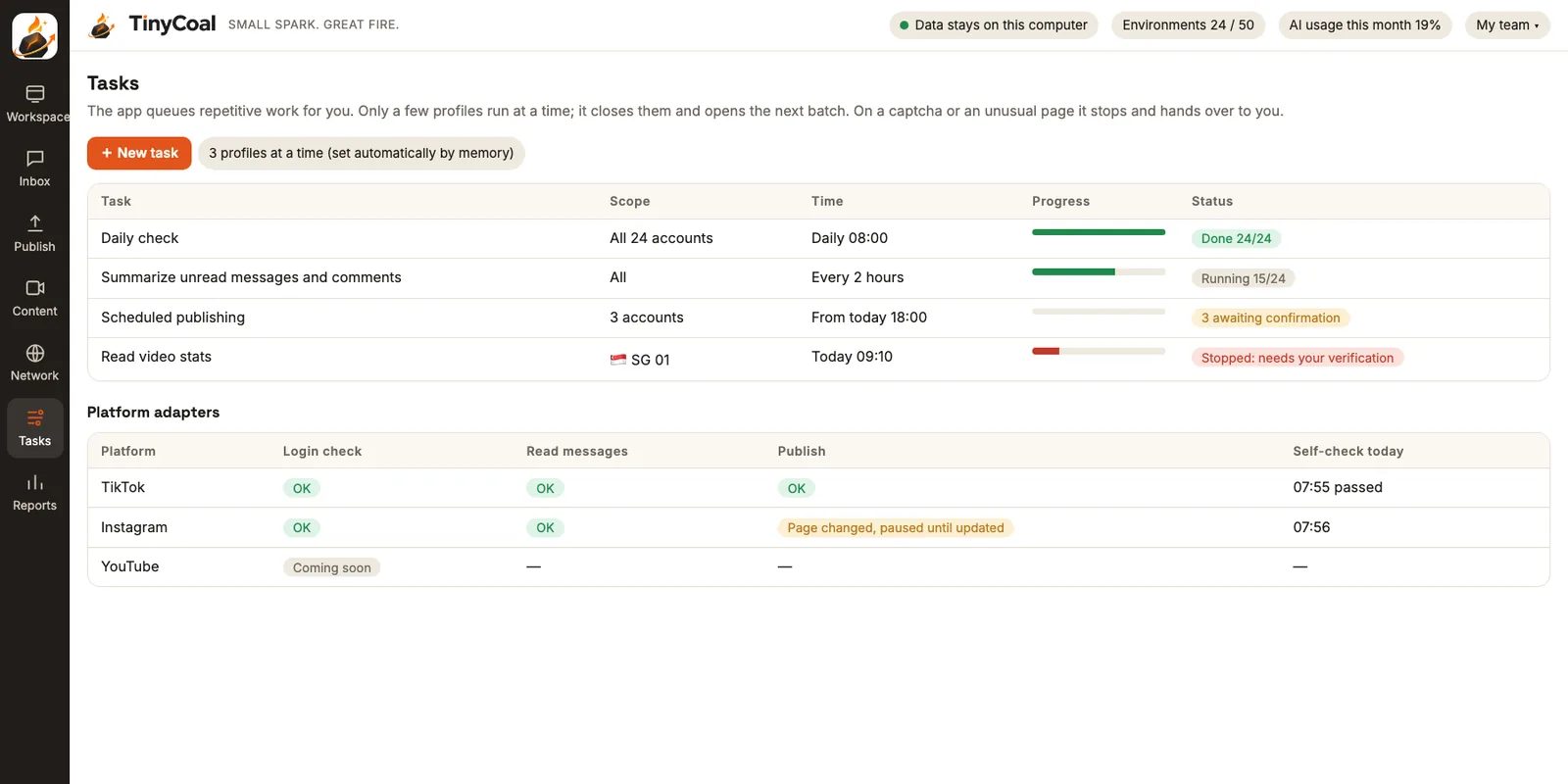
- The execution layer runs a check every morning at 8:00, reads messages and comments every two hours, and publishes on schedule. It opens only a few environments at a time and stops at any captcha. Check results go into the daily report.
- The AI layer translates, sorts and drafts replies to the messages it collects (see the Inbox), makes videos in each country's language from your asset library (see the Content studio), and passes them to Publishing.
The nine modules
| Module | What it does | Details |
|---|---|---|
| Environment engine | A separate data folder per account; each environment can only be open once at a time | Separate account environments |
| Network layer | One fixed exit per environment, with checks, automatic pause on disconnect, and no real IP exposure | Network exits |
| Account vault | Local encryption, encrypted backup and migration, app lock | Local data and privacy |
| Automation engine | Task queue, platform adapters, human takeover, retries, result checks | Checks and reports |
| AI layer | Masking, three privacy modes, monthly usage limit, option to use your own model key | AI and privacy |
| Content studio | Topics, scripts, voiceover, visuals, captions, language versions, similarity check | AI video production |
| Publishing | Multi-account, multi-language scheduling, confirmation gate, result checks | Publishing schedule |
| Inbox | Collects messages and comments, translates, sorts, drafts, approval | Unified inbox and AI drafts |
| Reports | Daily checks, health scores, content results, activity log | Daily checks and reports |
Supported platforms
TikTok comes first, then Instagram, Facebook and YouTube, followed by X, LinkedIn, Xiaohongshu and others as needed. For each platform we build the full set of sign-in checks, reading messages, publishing, comments and stats, never half of it. When a platform changes its pages, the adapter is updated on its own, without waiting for a full app release.
Principles that don't change
- Account data stays on your computer. Our servers do not store passwords, cookies, browser data or original messages.
- AI drafts, a person presses send. Auto-publish and auto-reply are switches you turn on yourself.
- Captchas and two-step verification always go to a person. The app never completes them for you.
- We don't build features for creating new accounts in bulk, trading fake engagement, sending unsolicited messages to strangers, or reopening banned accounts.
Different teams lean on different features: cross-border sellers use the inbox and multi-language video most; agencies care most about grouping, handover and reports; software and brand teams rely on the asset library and similarity check. We wrote up the methods behind each feature as guides: how a team manages many accounts, language and time zones, keeping AI videos original, multilingual messages, labeling AI content, the daily check checklist, and choosing between official and third-party tools. Data handling is covered in the privacy policy and usage rules in the terms of service. To be among the first users, join early access, and if you have questions, contact us.
Why these principles matter is explained in more depth on About TinyCoal. To see which teams it fits best, read Who it's for. Still have questions? Check the FAQ or the guides.