

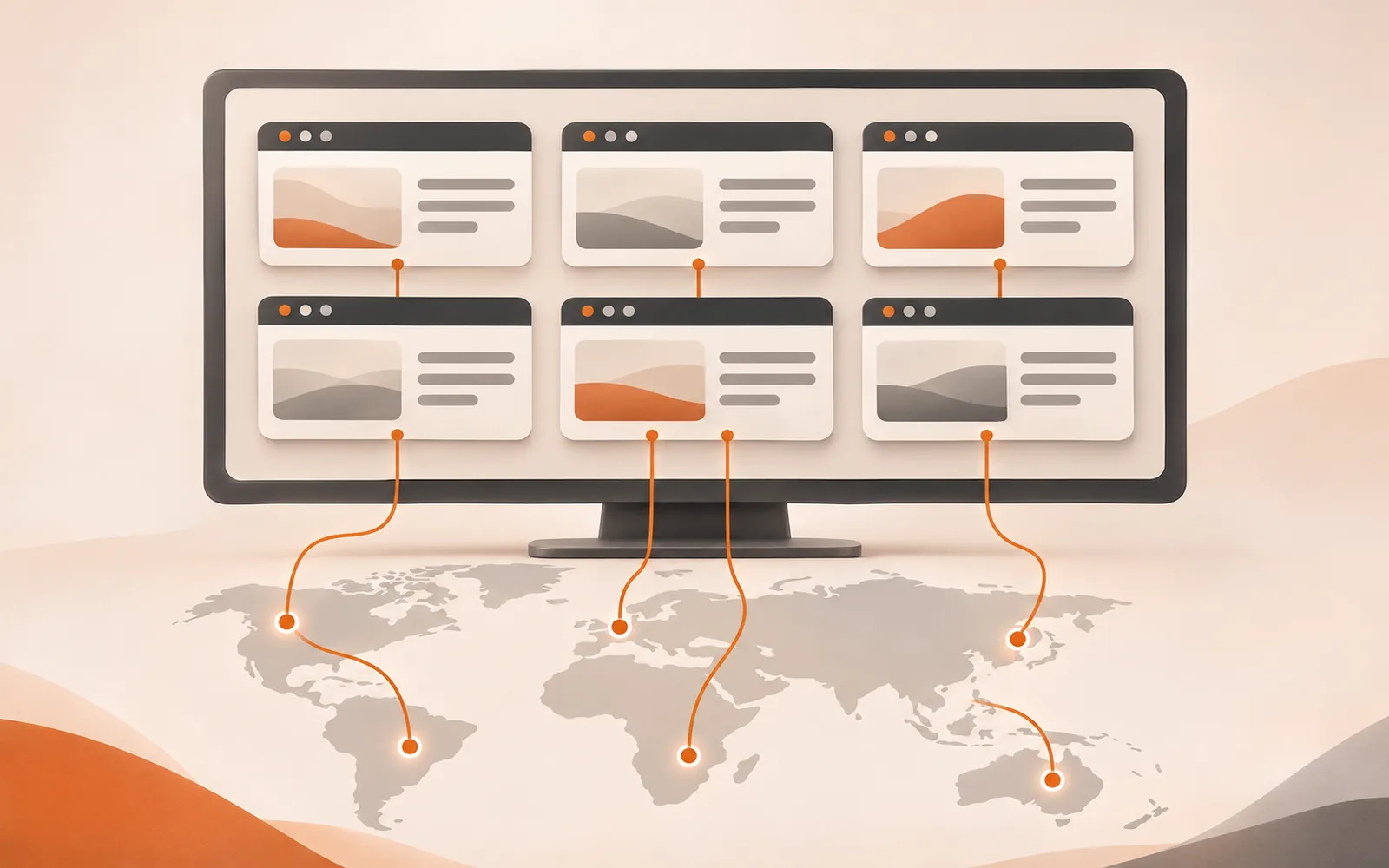
In short: every account in TinyCoal has its own environment. The environment holds that account's login session and browsing data, is tied to one fixed network exit, and uses the exit location's language and time zone by default. Accounts never share data, and an environment never quietly switches to your computer's real network when the connection drops.
What's inside an environment
Think of an environment as a browser on a computer used only by this one account. It includes:
| Part | What it is | Why it's kept separate |
|---|---|---|
| Login data | The account's cookies, local storage and cache, kept in its own folder | Logins don't knock each other out, and they're still there after you restart the app |
| Network exit | One fixed proxy exit per environment (HTTP or SOCKS5) | The account keeps connecting from the same place over time, like a real local user |
| Language and time zone | Set from the network exit location by default, and editable | A US account shows US time; an Indonesian account shows an Indonesian interface |
| Groups and notes | Group by country, platform, product or client, with notes and tags | You can find any account at a glance, even with hundreds |
Each environment can only be open once at a time, so two people on two computers can't work the same account and corrupt its data. For team setups, see how agencies use TinyCoal.
Network exits: one fixed exit, pause on disconnect
The network exit is the part of an environment most likely to go wrong. Here is what TinyCoal does about it:
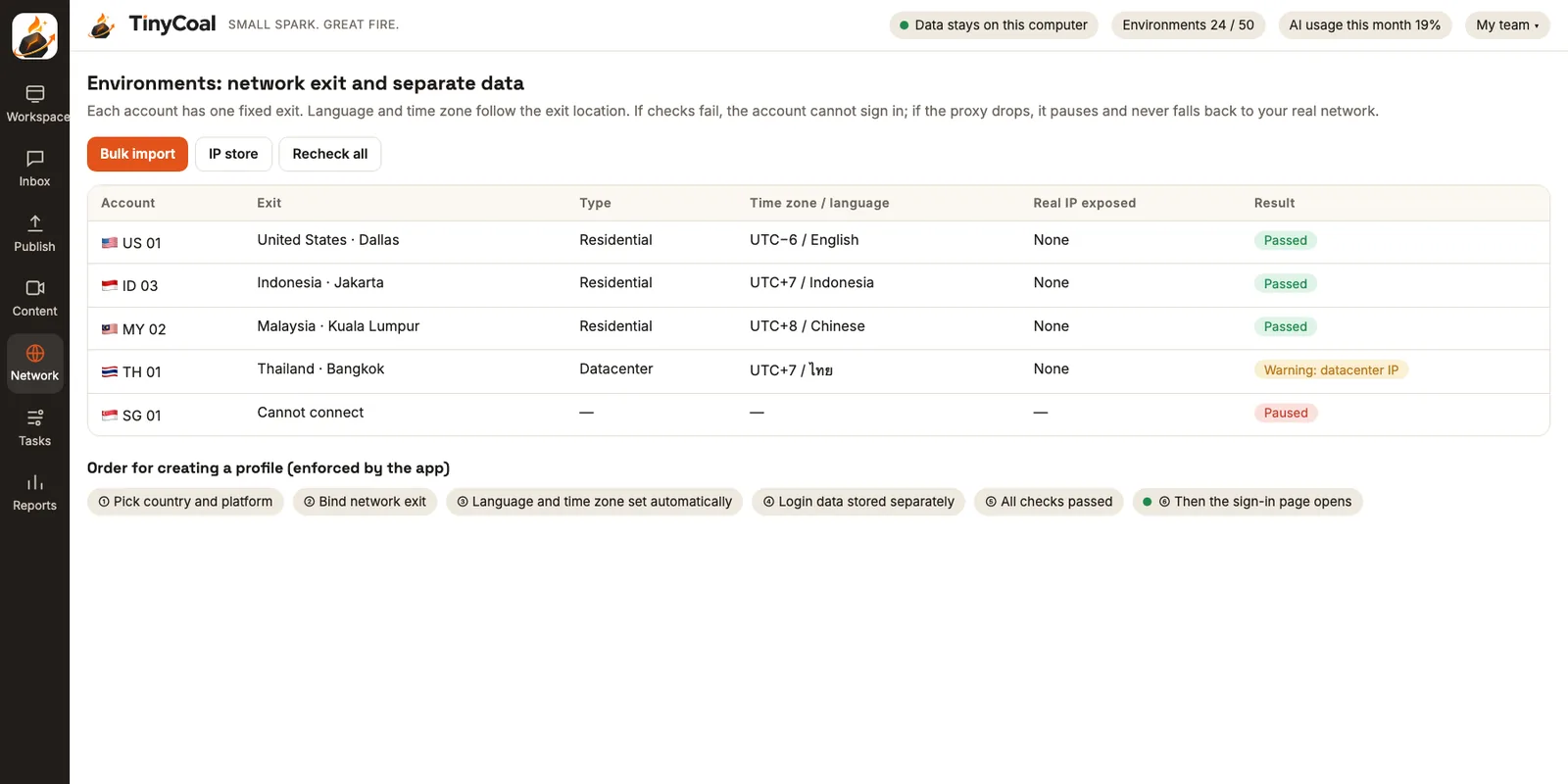
- One fixed exit per environment. Paste a list in "host:port:username:password" format to import in bulk, and exits are assigned to environments automatically. You can keep using a proxy provider you already have.
- Checked before opening. Which country and city the exit is in, whether it's residential or datacenter, the latency, and whether it matches the environment's language and time zone. If the check fails, the account can't open its sign-in page.
- Real IP never exposed. Real-time web connections (WebRTC) and domain lookups (DNS) also go through the exit, so your computer's real address can't leak on the side.
- Pause on disconnect. If the proxy can't connect, the environment pauses immediately instead of switching to your real network. The report reminds you to replace it; see Daily checks and reports.
- Warning when two environments share an exit. Several accounts on one exit is usually a setup mistake, so the app flags it.
Whether to choose residential or datacenter, static or rotating, depends on the account's country and how you use it. We explain how to choose in Matching language and time zone across countries.
How a new environment is created
TinyCoal builds environments in a fixed order. If one step isn't done, the next one stays locked:
- Pick a country and platform. For example, "United States · TikTok".
- Bind a network exit. Choose one from your imported proxies, or add a new one.
- Language and time zone set automatically. Based on the exit location, and editable.
- Login data stored separately. The app creates a dedicated data folder for this environment.
- All checks pass. Exit, region and real IP exposure, each ticked off.
- Then the sign-in page opens. You sign in yourself on the platform's real sign-in page. The app never collects plain-text passwords.
Once signed in, the account's messages flow into the Inbox, and content you schedule for it goes into the publishing schedule.
What day-to-day use looks like
Click an account on the left of the Workspace and the middle shows that account's real web page, which you use with mouse and keyboard as usual. On the right, the AI assistant tells you where the account stands, such as unread messages or how yesterday's video did.
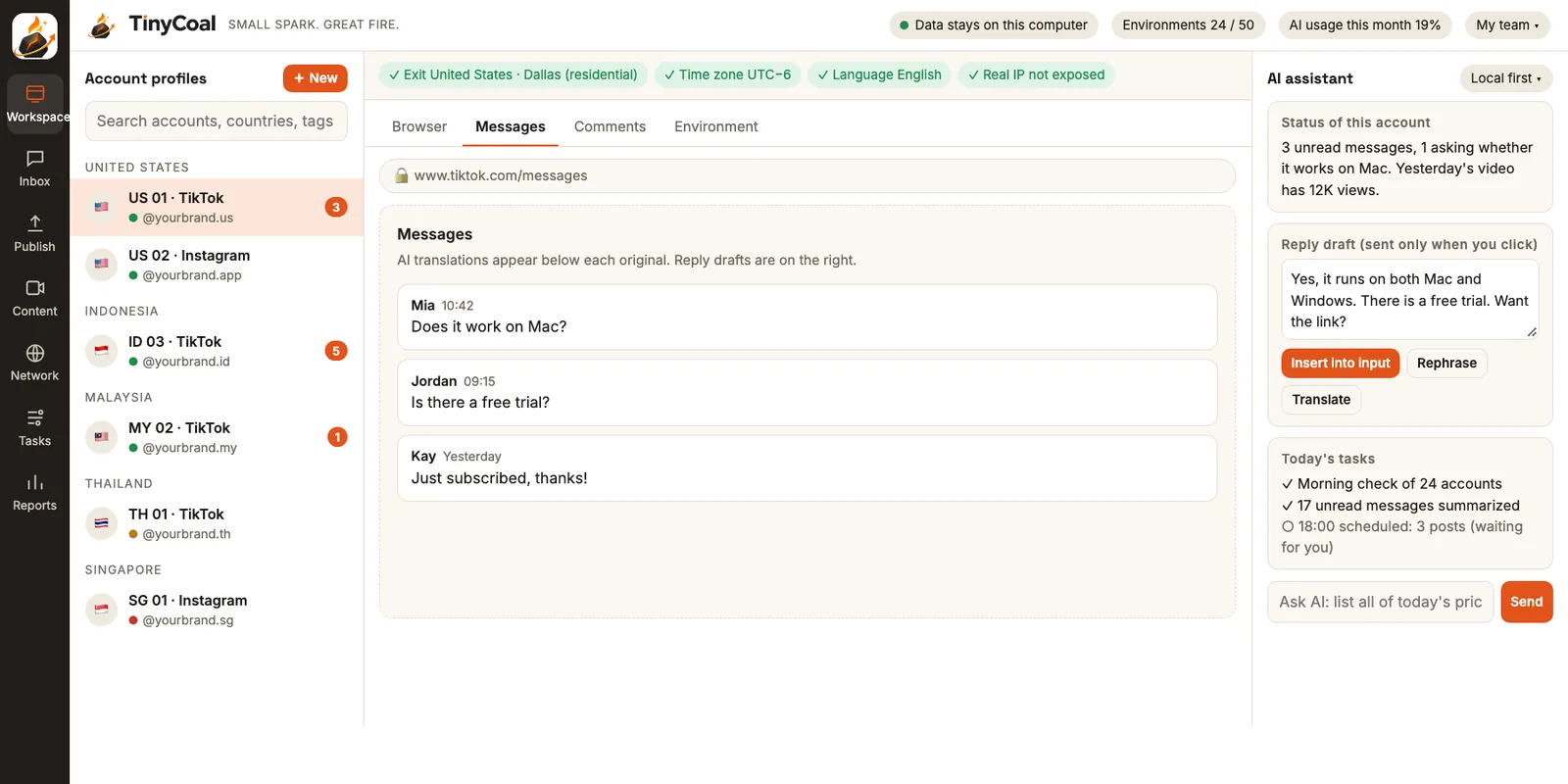
A row of small tags at the top of each environment shows its current status: where the exit is, whether time zone and language are correct, and whether the real IP is exposed. If any of them turns yellow or red, it also appears in the next morning's report.
When the app works through accounts in batches (for example, checks or reading messages), it opens only a few environments at a time, closes them, then opens the next batch. The batch size is set from your computer's memory, so your machine doesn't grind to a halt. The execution layer is described in the features overview.
Where data lives and how to move it
All environment data stays on your computer, encrypted with a key protected by the operating system's key store (DPAPI on Windows, Keychain on Mac). The data folder can live on any drive.
Browser logins are tied to the computer, so copying the folder to a new machine usually doesn't work. TinyCoal provides encrypted export and import instead: the backup is encrypted with a separate recovery key that only you hold. We don't have it, and if it's lost, nobody can get the data back. Full details in Local data and privacy.
What separate environments can and can't do
Being clear about the limits matters more than sounding good:
| Can do | Can't do |
|---|---|
| Keep login data fully separate between accounts, with no mix-ups or knocked-out sessions | Guarantee that a platform won't link your accounts; platforms use many signals |
| Keep each account connecting from one fixed place, with a consistent language and time zone | Make content or behavior that breaks the rules safe |
| Keep your real network hidden when a connection drops | Complete captchas or two-step verification for you; these always stop and go to a person |
| Keep hundreds of accounts clearly organized | Reopen banned accounts or create new accounts in bulk; we don't build features like that |
Whether an account stays healthy over time depends far more on original content, normal human behavior and where the account came from. For the content side, read Why AI videos look the same. The rules every user must follow are in the terms of service.
After your environments are set up
Environments are only the foundation. Once your accounts are set up, content can go to AI video production, and any AI footage should be labeled as the platform requires. For replying to messages in many languages, see this guide, and run through the daily checklist every morning. If all your accounts are TikTok business accounts, first look at what the official Business Center can do. For how different teams group their environments, see how cross-border sellers and software and brand teams work; all team types are under Who it's for. Data handling is in the privacy policy, and why we built it this way is on About TinyCoal. To try it early, join early access; with questions, contact us. More methods are in the guides.
FAQ
How many environments can one computer run?
There's no limit on the number of environments. How many can be open at once depends on your computer's memory. The app decides the batch size from your hardware and works through batch jobs one batch at a time.
Do I have to buy proxies from you?
No. You can import the HTTP or SOCKS5 proxies you already have. TinyCoal only requires one per environment, and it has to pass the checks.
Can I be signed in to several accounts on the same platform at once?
Yes. Each account lives in its own environment, so they don't affect each other. Each platform has its own rules about one person holding several accounts, so read the platform's terms first. We summarized TikTok's rules in How a team manages multiple TikTok accounts.
Does it work on both Windows and Mac?
Yes. TinyCoal is a desktop app for Windows and Mac, with the same features on both. More answers in the FAQ.