


The short answer: if you're a product team promoting the same software or brand in different markets such as the US, Indonesia and Brazil, TinyCoal fits. It organizes accounts by product × country × platform, and AI makes multilingual videos from your asset library, which holds only features that actually exist. Questions about compatibility, trials and buying are drafted by AI from your product notes, and go out after you confirm. Realistic AI visuals are labeled under platform rules.
This is how TinyCoal got its start: we first built it to promote our own software on social media. So what this page describes is what we do every day.
How to lay out accounts: product × country × platform
A software team's accounts aren't split by store. They're split by which product speaks in which market. A team making a desktop tool might lay things out like this:
| Product | Market | Platform | What this account mainly covers |
|---|---|---|---|
| Main product | US | TikTok, adding YouTube later | English tutorials, use cases, release updates |
| Main product | Indonesia | TikTok, adding Instagram later | Short Indonesian tutorials, local payment and language support |
| Main product | Brazil | TikTok | Getting-started demos in Portuguese |
| Second product | US, Indonesia | TikTok | Scenarios for using it together with the main product |
Each account in TinyCoal is a separate environment, and you can group them by product. The Brazilian account's interface is in Portuguese with the time zone of its exit location; the US account runs on US time and language. For how to set up accounts in different countries, see Matching language and time zone across countries.
An asset library with only real features
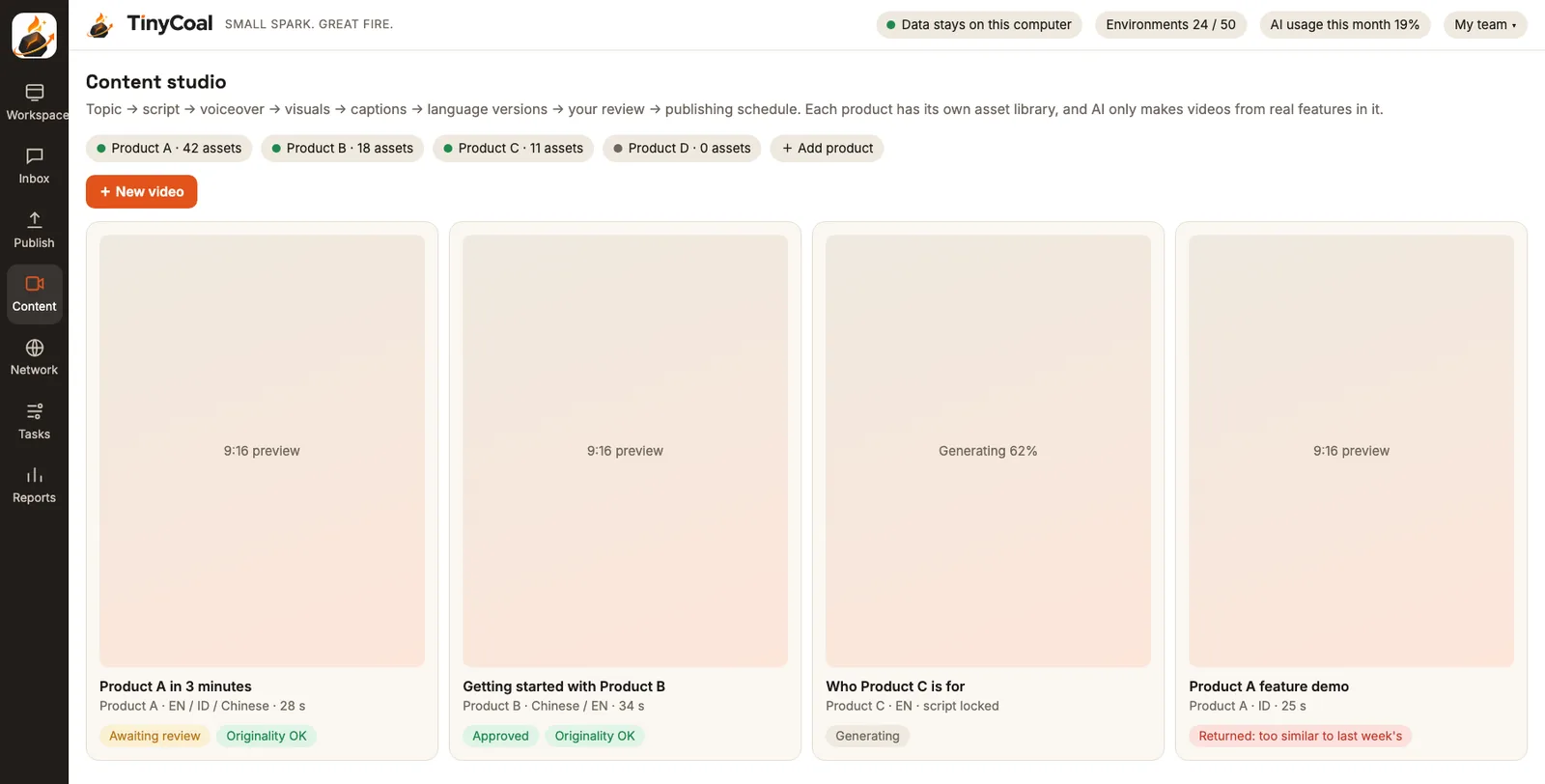
Nothing hurts a software product's reputation faster than a video showing a feature the product doesn't have, which users then can't find after installing. In AI video production, each product has its own asset library, and AI makes videos only from it:
- Screen recordings: real footage of the product in use, the most credible part of any video.
- Selling points: each one states which feature it refers to and which version introduced it.
- Common questions: system requirements, supported languages, how to start a trial.
- Use cases: who uses it and when, for example "a shop owner reconciling accounts at month end".
- Pricing and how to buy: whatever you write in is what's used; AI doesn't invent numbers.
Once scripts are ready, you pick one and generate voice-over and subtitles in English, Indonesian and Portuguese. Only videos that pass human review go into the publishing schedule. When the same screen recording goes to different accounts, the opening, pacing and cover are varied, the system checks for duplicates automatically, and anything too similar is sent back. TikTok's Community Guidelines state that unoriginal content, or content that reuses material, is not eligible for the For You feed; the reasoning is in Why AI videos all look the same.
Compatibility and trial questions: drafted first, then confirmed
Messages from software users cluster around a few topics: does it run on a given system, is there a free trial, how do I buy, where do I activate after buying. The answers are fairly fixed, which makes them a good fit for AI drafts. The Inbox gathers messages and comments from every account in every country, adds a translation in your team's language, and drafts by type:
| User asks | Type | What AI does |
|---|---|---|
| "Does it run on Mac?" "Does it support Windows 10?" | Inquiry / ready to buy | Drafts from the system requirements in your product notes, in the user's language |
| "Is there a free trial?" "How much is a year?" | Inquiry / ready to buy | Drafts from the trial and pricing details you wrote, with the link you set |
| "I paid but never got my activation code" | Support | No draft; flagged red and handed to a person |
| "It won't install" "It crashes on launch" | Support | No draft; handed to a person, and passed to technical support if needed |
| A new question your notes don't cover | Inquiry / ready to buy | The draft says "Let me check that for you" instead of making up an answer |
Each time a new question comes up, add the answer to your product notes, and the next draft will use it. For the details of replying in several languages, see How to reply to messages in several languages. By default every draft waits for you to confirm. You can turn on auto-reply yourself, but it only answers conversations the user started, and support issues and complaints still go to a person.
AI content needs a label
Software promo videos often use AI voice-over and AI-generated scene shots. TikTok's Community Guidelines require that realistic content generated or heavily edited by AI be labeled; unlabeled content may be removed, have its reach limited, or get a label added by the platform. Watermarks and content credentials must not be removed. Videos made with TikTok's own Symphony creative tools get an "AI-generated" label automatically.
Our approach: during video review, "Is there realistic AI footage?" is a required check, and if there is, the video is labeled at posting time the way the platform specifies. For how to judge screen recordings with AI voice-over, realistic AI presenters and animated explainers, see Do you need to label AI-generated content?.
Platforms, added one after another
TinyCoal supports TikTok first, then Instagram, Facebook and YouTube, and after that X, LinkedIn, Xiaohongshu and others. For software teams this order roughly matches how promotion unfolds: explain the product in short videos first, then post full tutorials on YouTube, and reach business users on LinkedIn. Each platform is added with the full set of steps: sign-in, reading messages, posting, comments and data.
See which videos brought in questions
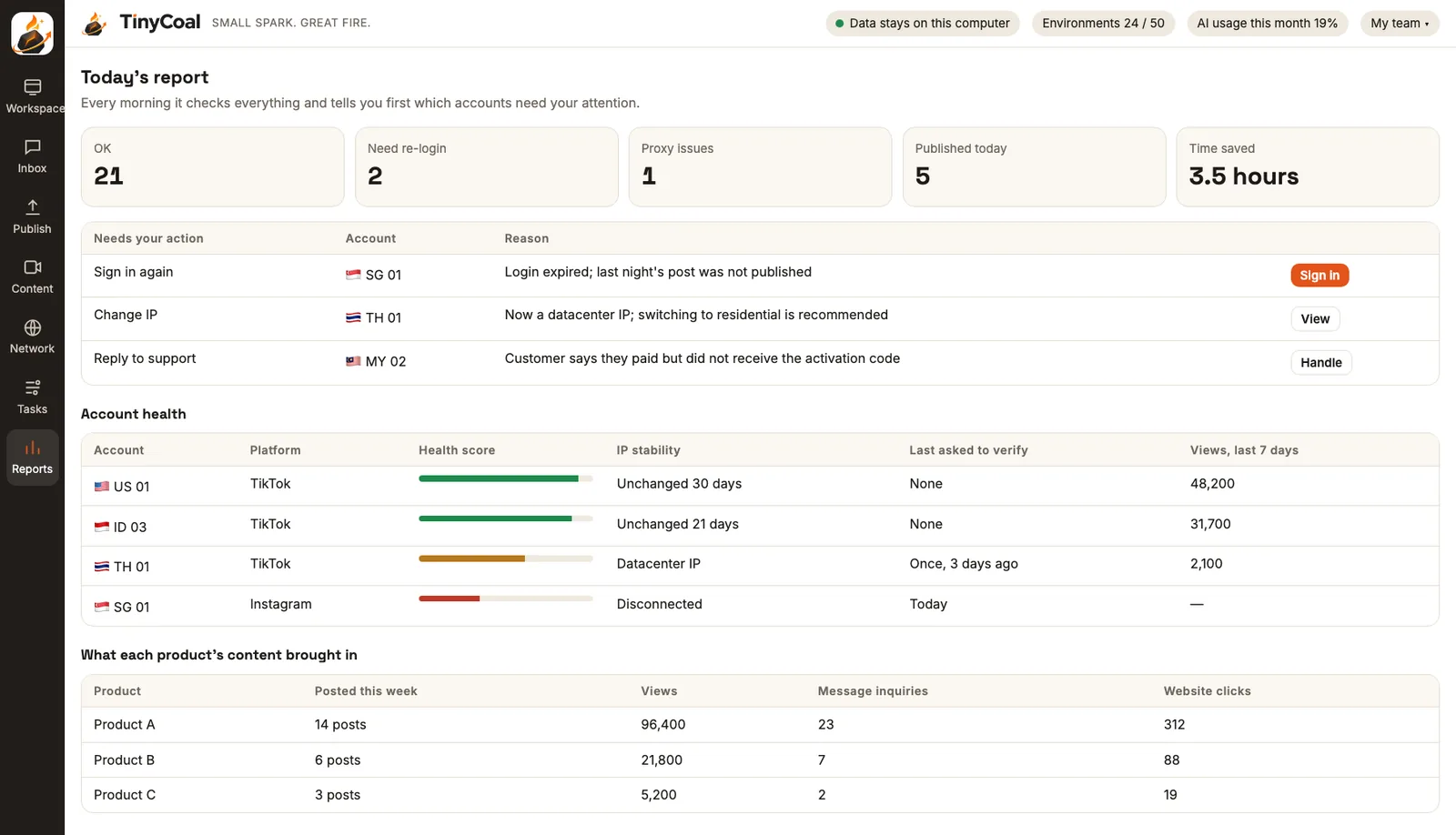
What product teams going overseas want to know most is which country, and which way of telling the story, actually brought in users. Besides telling you which account needs to sign in again or which exit dropped, the daily checks and reports count views, engagement and inquiries per video, per account and per product. You can see whether the short Indonesian tutorials or the US scenario videos work better.
Getting started
- Write your product notes. Features, system requirements, how trials work, pricing, common questions, one set per product. Everything later, content and replies alike, is based on this.
- Build the asset library. Record a few real screen sessions and note which feature each selling point refers to.
- Create account environments. Group them by product and country, bind a network exit to each account, and sign in yourself on the real sign-in page.
- Make the first batch of videos. Have AI write a few script versions for each market, then choose, review, label and schedule them.
- Catch the questions. Clear the Inbox drafts once or twice a day, and add new questions to your product notes.
- Review every week. See which kinds of videos brought in inquiries, and adjust next week's topics and market focus.
Account data and user messages are stored on your own computer and masked before anything goes to AI; see Local data and privacy. If you only run TikTok business accounts and just need central posting, start with TikTok Business Center vs. third-party tools. For team roles, see How a team manages multiple TikTok accounts. If you also sell physical products, look at how cross-border sellers use it; if you outsource promotion to an agency, have them read how agencies use it.
FAQ
We only have one product. Is it still worth it?
It depends mostly on how many markets and platforms you cover. One product across three or four countries and two or three platforms quickly reaches double-digit accounts, and that's when separate environments and a unified inbox pay off. For one country and one account, the official tools are enough.
Could AI put an unreleased feature into a video?
AI makes videos only from the asset library. If a feature isn't in the library, it won't write about it, and every video still goes through human review. We suggest tagging each selling point with its version and deleting claims about old versions promptly.
Can we use our own AI model?
Yes. You can enter your own model key, or run a fully local model. More questions in the FAQ; for how other teams use it, see Who it's for.
TinyCoal is coming soon. Browse All features, or apply for early access. The rules users must follow are in our Terms of service.