

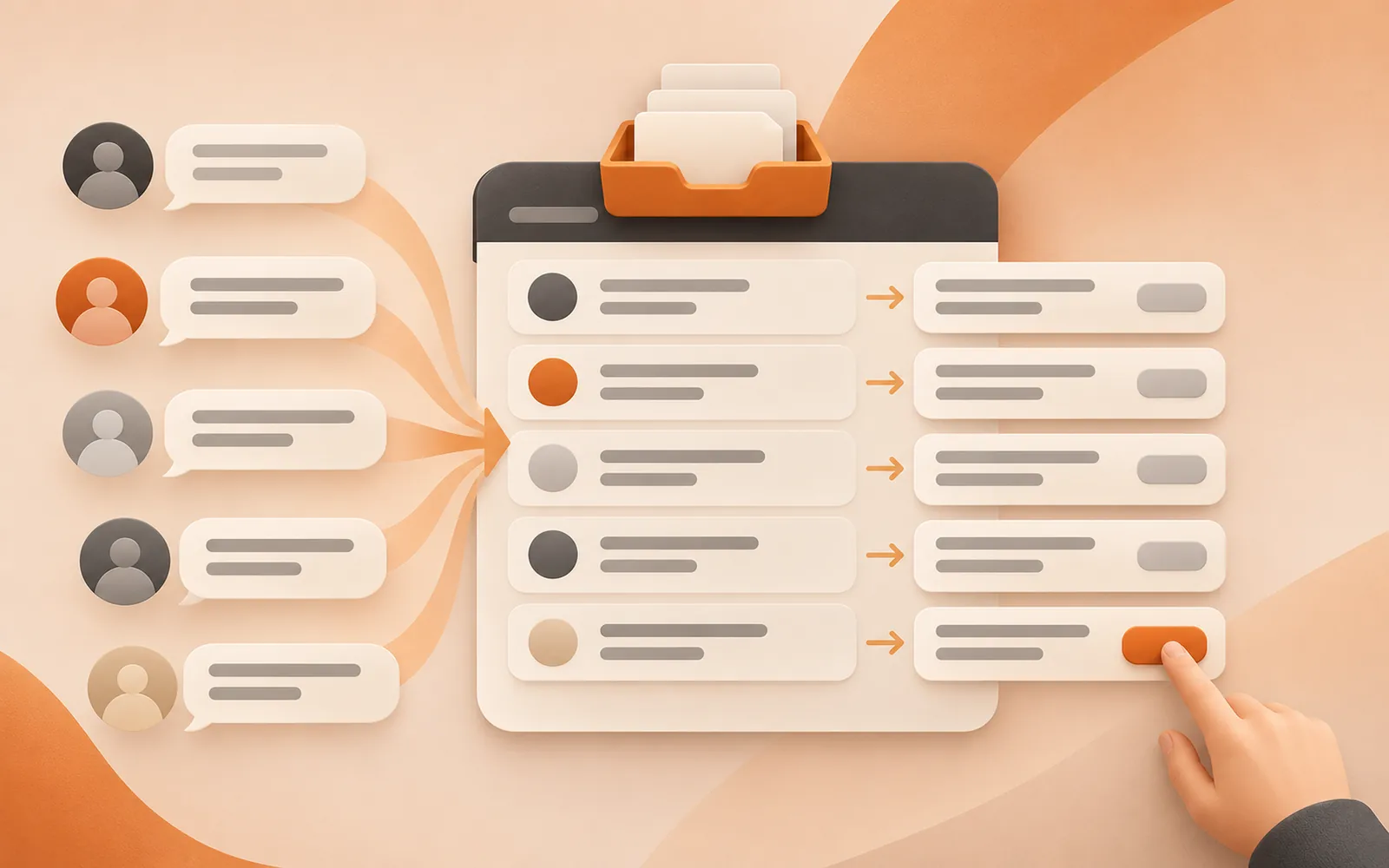
In short: the Inbox collects messages and comments from all your accounts, with a translation under each original. AI labels each one as an inquiry, support, complaint or chat, and drafts a reply in the sender's language. By default every reply waits for your confirmation. Complaints, refunds and disputes are never drafted; they go straight to a person.
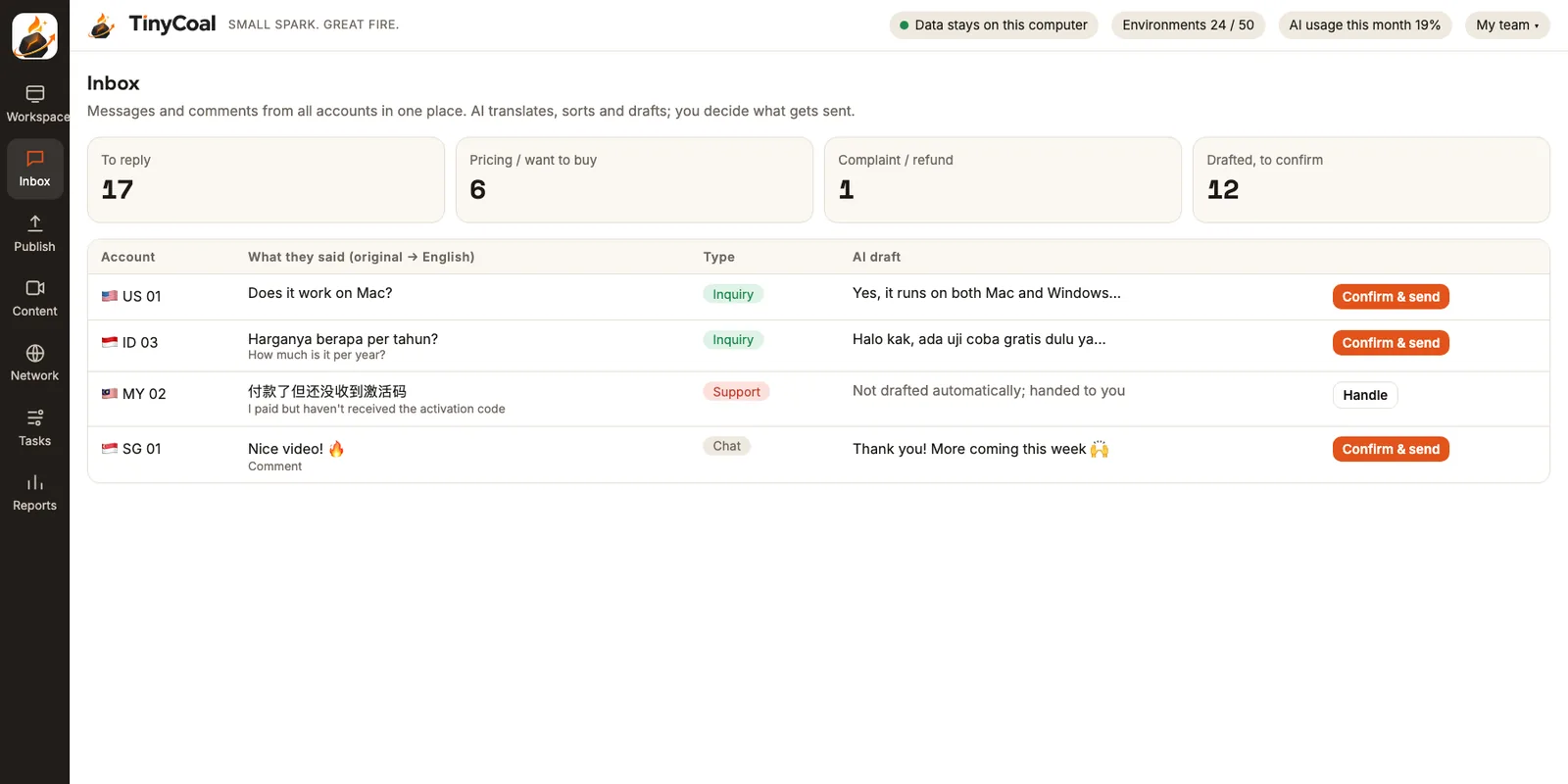
What happens when a message comes in
- Collect. At the interval you set (for example, every two hours), the app reads new messages and comments on recent videos inside each account's separate environment, and gathers them in the Inbox.
- Translate. The original stays, with a translation underneath. Whether a customer writes in Indonesian, Thai or Spanish, you can see what they're asking.
- Sort. AI labels the type: inquiry or ready to buy, support, complaint or refund, chat or compliments. Inquiries go to the top.
- Draft. AI writes a reply in the sender's language, using the product information and saved answers you provided. It never makes up prices or features.
- You confirm. Read the draft, edit it, try another wording or view it in your language, then press "Confirm and send".
- Log. Who replied with what and when stays in the local log, and the next day's report summarizes replies.
How AI sorts messages, and what happens to each type
| Type | Example | What AI does | How it's sent by default |
|---|---|---|---|
| Inquiry / want to buy | "How much is it per year?" "Does it work on Mac?" | Drafts from your product information and adds the link you set | Sent after you confirm |
| Support | "I paid but never got my activation code" | No draft; flagged red with a reminder to handle it yourself | Handled by a person |
| Complaint / refund / dispute | "I want a refund" "This is a scam" | No draft; handed to a person | Handled by a person, never auto-replied |
| Chat / compliment | "Nice video!" | Drafts a short thank-you | Sent after you confirm |
Sorting rules and saved answers can be set per product and per account. Teams running several brands or managing client accounts can read how agencies use it and give each client its own voice and approved wording.
How drafts are written
When AI drafts a reply, it looks at only three things: this message and the earlier conversation, the product information for this account (selling points, pricing, common questions), and the reply rules you wrote (tone, what to say, what not to say). If something isn't in your information, the draft says "Let me check that for you" instead of inventing an answer.
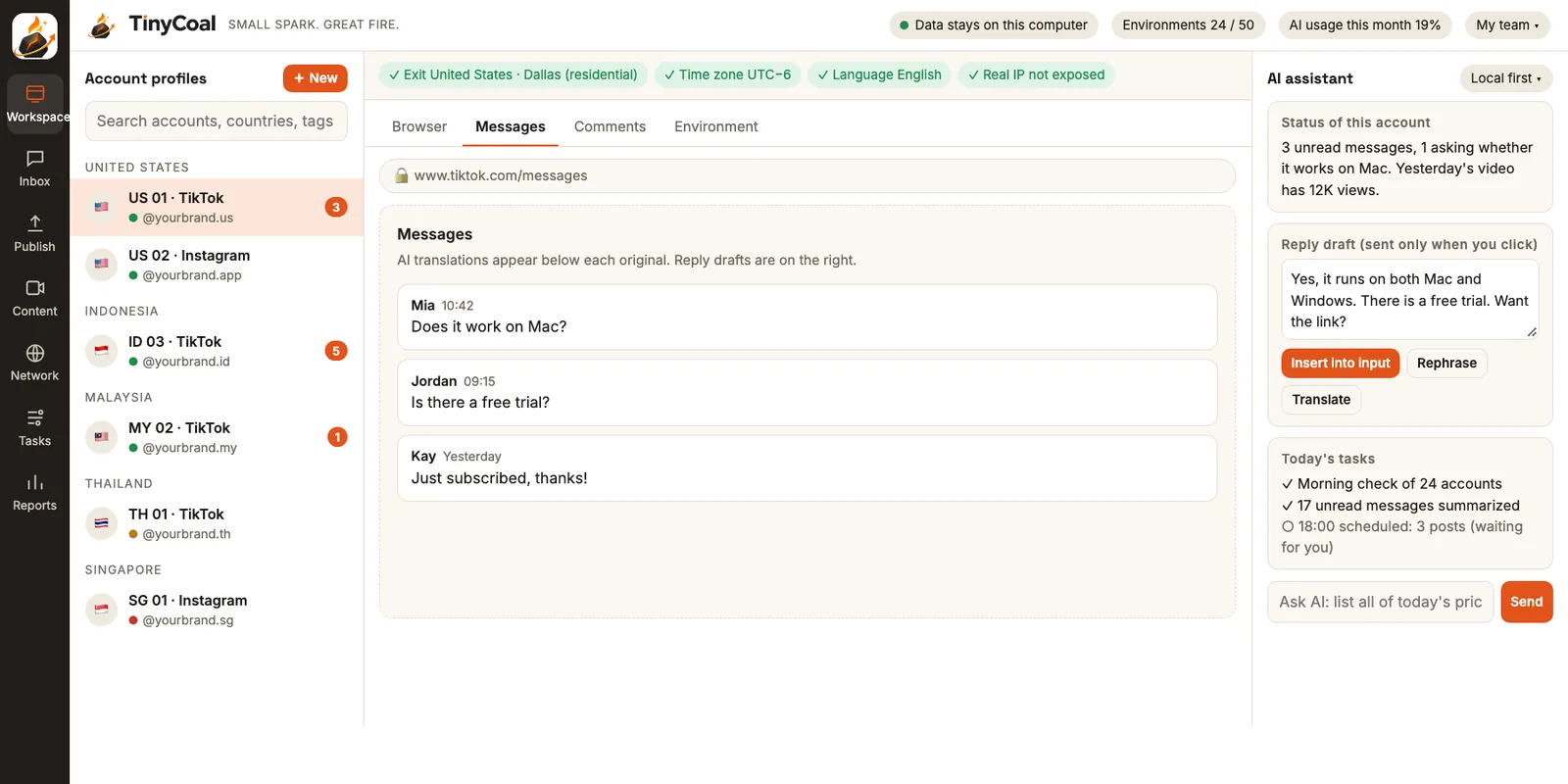
The AI assistant on the right side of the Workspace can also work with messages. For example, ask it to "list every sales inquiry from today" and it organizes them in a table. Anything that would be sent still comes to you first.
The easiest things to get wrong in multilingual replies are tone and local habits. Indonesian customers often expect to be called "kak", and Japanese calls for polite forms. We wrote these lessons up in How to reply to messages in many languages.
Auto-reply: available, with limits
Auto-reply is a switch you turn on yourself, and it's off by default. The app explains the risks before you turn it on, and three limits apply once it's on:
- It only answers conversations the other person started. TinyCoal doesn't offer bulk messaging to strangers.
- Complaints, refunds and disputes never get automatic replies. These always go to a person.
- Each account has a daily limit and pacing. Replies are spaced at a human pace, never ten in one second.
Platforms also have rules for business messaging. TikTok's official Business Messaging API is one example: businesses can't start a conversation, they can send at most 10 replies within 48 hours after the user's first message, and the API isn't available for accounts in the European Economic Area, Switzerland or the UK (sources in Official Business Center vs third-party tools). TinyCoal follows the same principle as these rules: the customer speaks first, and a person replies.
Are messages uploaded anywhere?
Original messages are stored on your computer. When translation or drafting needs AI, the default "local first" mode masks phone numbers, emails, addresses and order numbers before anything goes to the AI model. Every request leaves a record on your computer, so you can always check what has left it. You can also switch to fully local mode or enter your own model key. Details in Local data and privacy and the privacy policy.
Which teams it fits
If you have many accounts, many languages and many inquiries, the Inbox saves the most time:
- Cross-border sellers: customers in many countries ask about price and shipping, and faster replies mean more sales.
- Software and brand teams: users ask about compatibility, trials and how to buy. The answers are fairly fixed, so drafts are accurate.
- Agencies: replying for many clients means staying on message for each one.
The Inbox is connected to the publishing schedule and AI video production, so the report shows which video brought in which inquiries.
Connecting messages to the rest of your work
Good replies depend on healthy accounts: use the daily checklist each morning to see which accounts have been signed out. Language and time zone need to match for accounts in different countries so customers don't get replies in the middle of the night; see this guide. Customer questions often make good topics for the next video; when you make it, avoid repetitive content, and if you use AI footage, label it as required. For splitting message work across a team, see How a team manages multiple TikTok accounts. The limits of auto-reply are also set out in the terms of service. For the full picture, see the features overview and Who it's for. With questions, contact us, or go ahead and join early access.
FAQ
Will AI send replies I didn't approve?
Nothing is sent by default. Every draft needs your confirmation. Even if you turn on auto-reply, complaints and refunds always go to a person, and it only answers conversations the other person started.
Which languages are supported?
Translation and drafting work for all major languages, including English, Indonesian, Thai, Vietnamese, Malay, Spanish, Portuguese and Japanese. Translations appear in the language you choose.
Can it collect comments too?
Yes. Comments on recent videos are collected along with messages, and AI can draft replies to them. You choose which videos' comments to collect.
Can I use my own AI model?
You can enter your own model key, and then TinyCoal charges no AI fees. You can also use a fully local model. More answers in the FAQ.